EzColorize
Colorize & Restore
Photo ColorizerHOT

Colorize and restore black & white photos

AI Color MatchNEW

Match photo colors to a reference image

Photo RestorationHOT

Restore old photos and recover details

Photo EnhancerNEW

Unblur, sharpen, and upscale photos up to 4x

Edit & Cleanup
Remove People from PhotoNEW

Brush over unwanted people and restore the background

Background Remover

Remove backgrounds and add colors or your own images

AI Open Eyes – Fix Closed Eyes in PhotosNEW

Open closed or half-closed eyes in a photo with AI. Choose the person in a group photo, compare the edit, and download your result.

Create & Generate
ChatGPT GIF GeneratorNEW

Animate a photo or image into a looping GIF

Free
Image ConverterFREE

Batch convert JPG, PNG, and WebP images

Image ResizerFREE

Resize JPG, PNG, and WebP images locally

Keep On Steppin AI Dance

Create a synchronized five-character dance video.

Pricing
HomeAI Old Photo Restorer

AI Old Photo Restorer – Restore Old Photos Online

AI image restoration for scratched, faded, and damaged old photos. Upload an old image and bring a treasured memory back to life in just a few clicks — free to try.
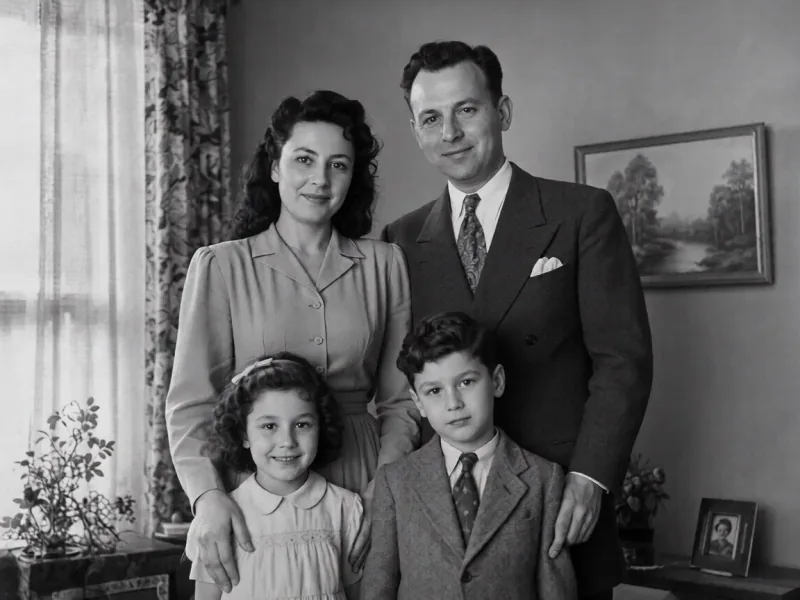
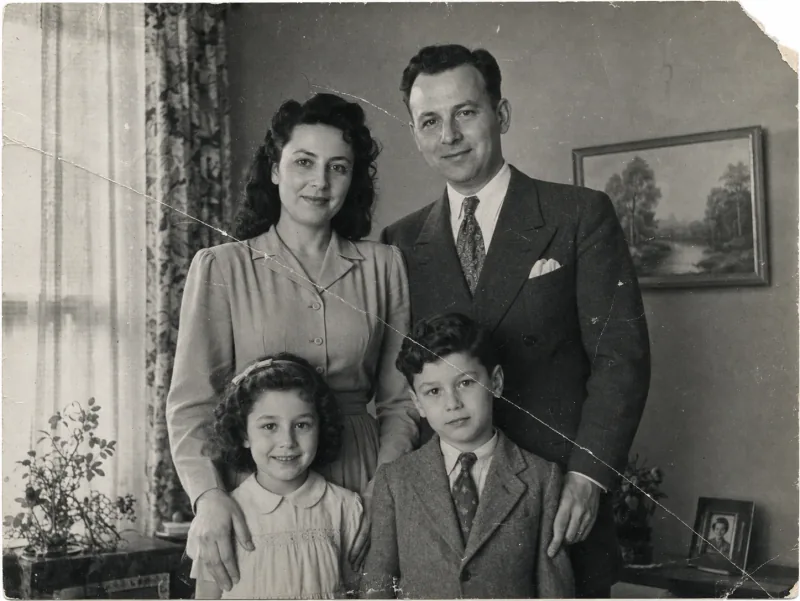
The same family photograph after restoration After
A creased old family photograph before restoration Before

Example restoration — a creased family photograph, before and after.

Upload Image

Drag & drop or click to browse

SecureFastAI restored

JPG, PNG or WebP · Up to 1.0 megapixels — larger photos are resized automatically.

Real Photo Restoration Examples

Drag the divider to compare each original with its restored result. Results vary with the photo and selected options.

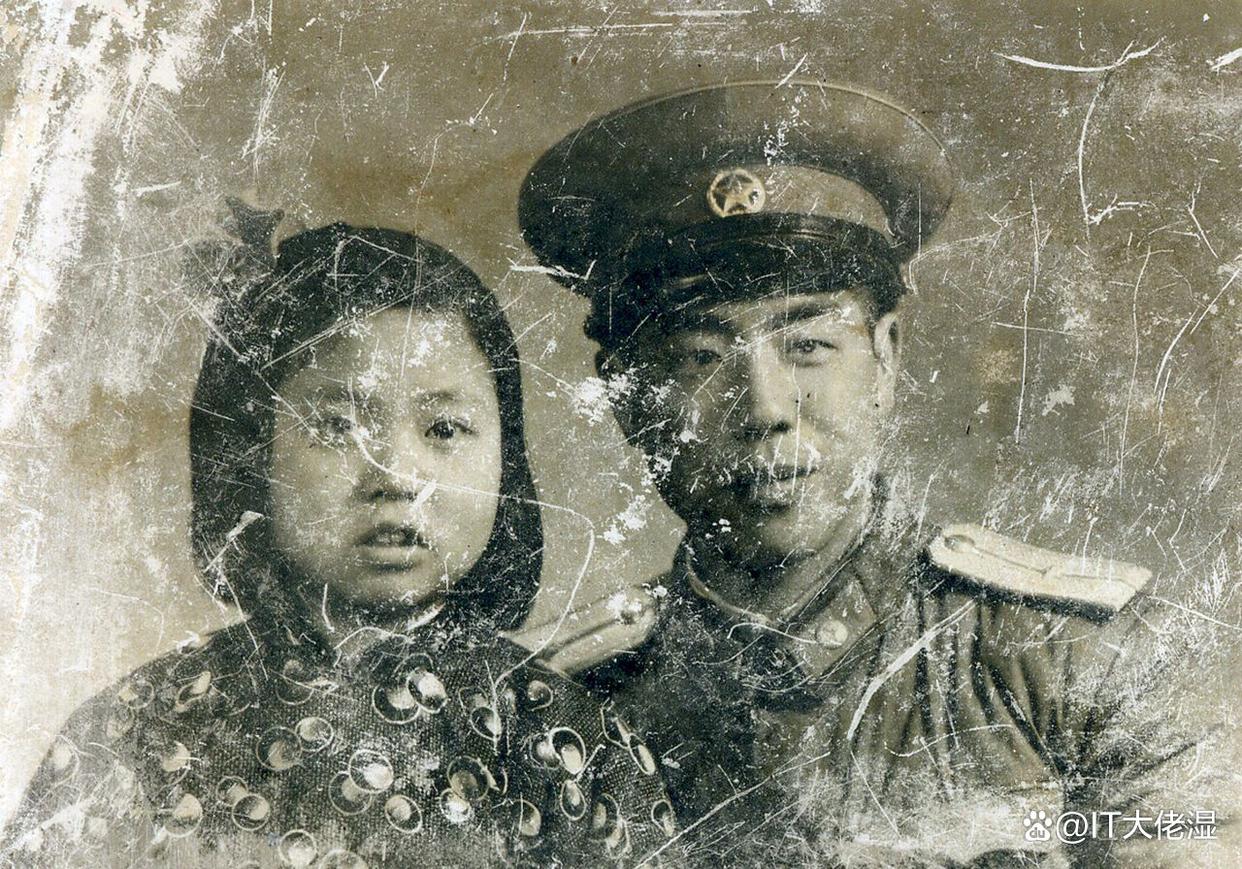
Restored and colorized portrait of the same child and man After
Scratched black-and-white portrait of a child and a man in uniform Before

Repair a scratched family portrait

Heavy scratches are removed and the black-and-white portrait is restored with color.
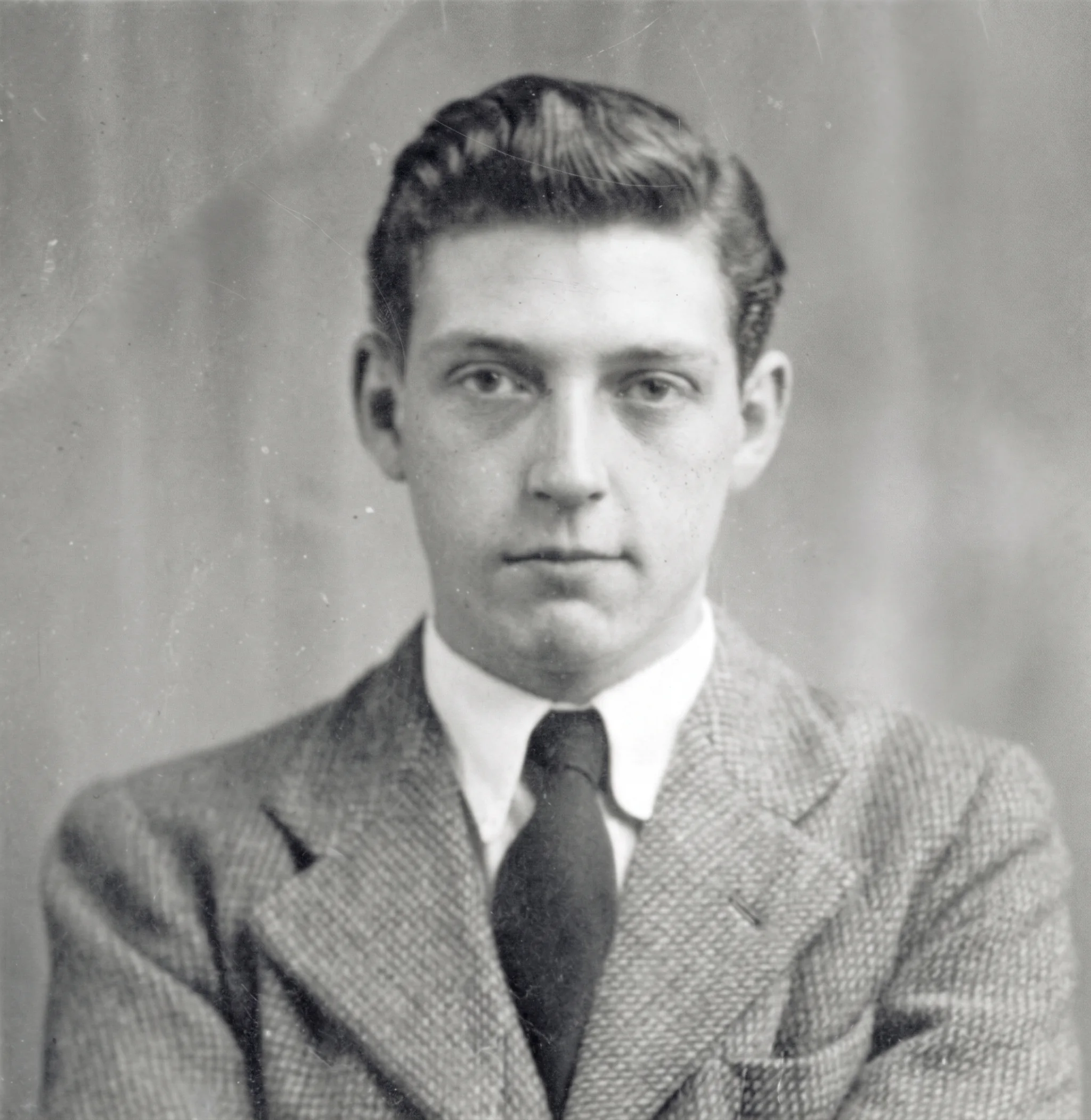
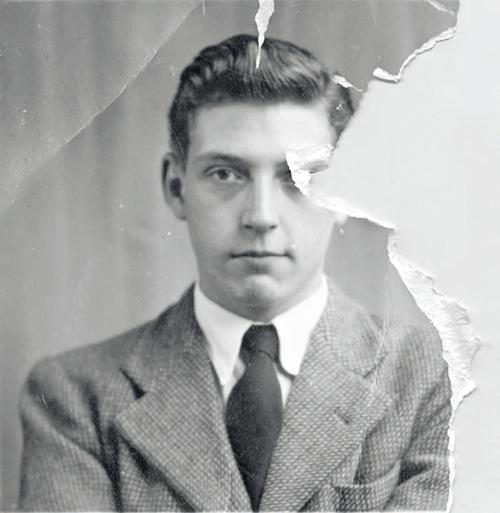
Restored black-and-white portrait with the torn area repaired After
Black-and-white portrait of a man with a large tear across the upper right Before

Repair a torn portrait

The missing section and visible damage are repaired while the portrait stays black and white.
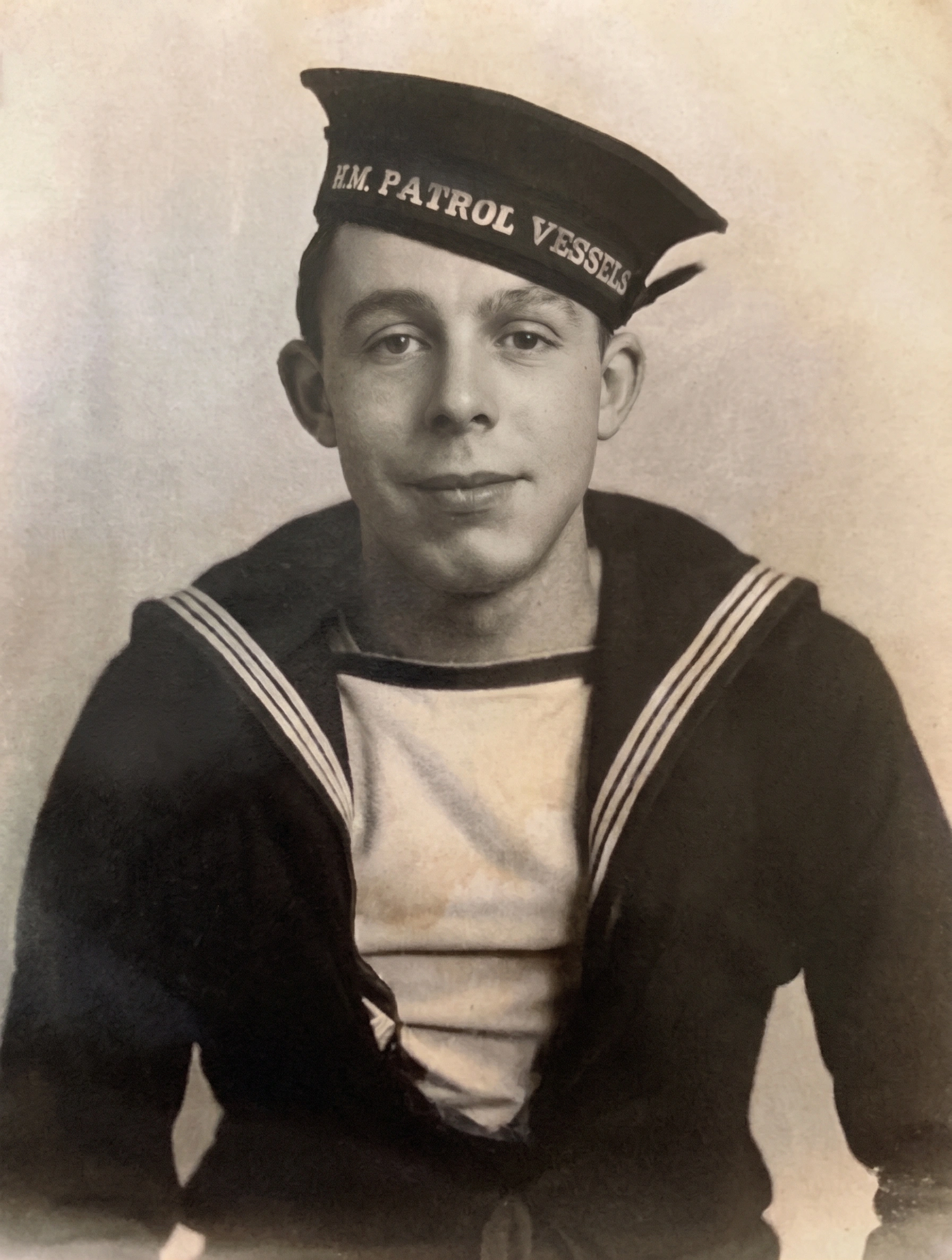
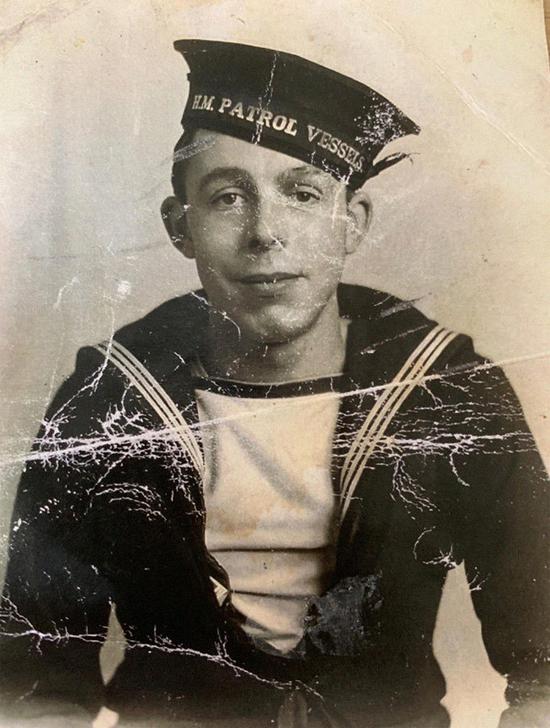
Restored portrait of the same sailor with surface damage removed After
Scratched and creased portrait of a sailor Before

Remove scratches from an old portrait

Creases and surface scratches are reduced without adding color.

Privacy and Trust

Three things are worth stating plainly before you upload a family photograph.

Third-Party AI Processing

The restoration runs on an external AI provider selected for this tool. Your photo is sent there only to produce the result you asked for.

Automatic 24-Hour Deletion

The photo you upload is automatically deleted from our storage within 24 hours after processing — you do not need to ask. The restored result is removed on the same 24-hour schedule, so download it before then if you want to keep it. You can still ask us to delete it sooner at [email protected].

Controlled Access

A job belongs to the account that started it — or, for a guest, to the browser that started it — and results are never listed publicly. A direct image link is unguessable but not secret: anyone given the link can open it, so share deliberately.

Read the full Privacy Policy

What Can AI Restore?

Image restoration AI handles the damage that time did — scratches, dust, creases, stains and fading — rather than changing how the photograph looks. Here is what a photo repair covers.

1

Remove Scratches

Fine scratches, dust and specks are the easiest damage to take out, and the ones that catch the eye first.

2

Repair Creases and Damage

Fold lines, dents and torn edges are repaired wherever the picture underneath is still readable.

3

Improve Faded Photos

Contrast and tone that washed out over decades can be brought back toward how the print originally looked.

4

Preserve Original Details

Faces, clothing, background and composition are what the repair holds on to — a photograph that looks cared for, not redesigned.

How It Works

Step 1

Upload Your Old Photo

Choose a JPG, PNG or WebP scan or phone photo of the old picture.

Step 2

Let AI Repair the Damage

Our photo restoration AI works on the photograph itself, taking out visible scratches, creases, stains and fading while keeping the people and the scene as they are.

Step 3

Compare and Download

Slide between the original and the restored photo, then download the result.

Why Choose Our AI Old Photo Restorer?

Simple Online Workflow

Upload, repair, download. Old photo restoration online needs nothing installed, and the free daily allowance means you can try it before deciding.

AI-Assisted Restoration

The image restoration model and its instruction are chosen and configured by our team, so you get the result rather than a settings panel.

Black-and-White and Color Photo Support

One repair pass works on a monochrome print and on a faded colour snapshot alike.

Original Detail Preservation as a Design Goal

The repair is told to hold on to faces, clothing, background and composition, and to prefer a conservative repair over an invented detail.

Use Cases

Restore Family Memories

Bring the photographs out of the shoebox back into circulation — the ones with a crease down the middle or a decade of dust on them.

Repair Scanned Photographs

Flatbed scans and phone photos of prints often carry scanner dust, glare and handling marks. These are ordinary repairs — one pass is usually enough to restore image quality.

Preserve Historical Photo Collections

Digitised albums and local archives stop being read as damaged documents once the scratches and stains are out of the way.

Working through a family album? Read our guide to restoring and preserving old family photos for tips on keeping the original scan alongside your edited copy.

Frequently Asked Questions

What is an AI Old Photo Restorer?

It is a photo restoration tool that repairs damage in an old print — scratches, creases, stains, fading, dust and small tears — by redrawing the damaged areas from what the photograph still shows, then letting you compare the result with the original before you download.

Can AI restore old damaged photos?

AI can repair a great deal of visible damage: scratches, dust, creases, stains and faded areas are exactly the kinds of defect these models are good at removing. Severe loss is the limit — a torn corner, a missing face, a stain that ate the emulsion cannot be brought back, and nothing here will invent it. We repair what is there and leave the rest as it was.

Can I restore black-and-white photos?

Yes. By default the repair leaves a black-and-white photograph black and white. If you would rather have it in colour, tick Add color on the upload card before you start: the same restoration pass then recolours the photo in muted, period-appropriate tones instead of bright modern colour.

Will AI change faces in old photos?

Restoration is a generative pass: the model redraws the photograph rather than only filtering it, so a face can move slightly. The repair is instructed to preserve identity — the same features, expression, age and hairstyle — and nothing is deliberately beautified, but no AI restoration can promise a pixel-identical face. For a photograph where the face matters most, slide between the before and after before you use the result.

How are my uploaded photos handled?

Your photo is sent to a third-party AI provider only to produce your restoration. It is not listed anywhere on the site: a guest job belongs to the browser that started it, a signed-in job to the owning account, and the app opens it only for that owner. The uploaded photo is automatically deleted from our storage within 24 hours after processing, and the restored result is removed on the same schedule — download it before then if you want to keep it. You can ask us to delete either sooner at [email protected]. A direct image link is unguessable but not secret, so anyone you give the link to can open it while it exists.

Can AI repair torn photographs?

A tear along a fold is sometimes closed convincingly. A piece of the photograph that is simply gone cannot be reconstructed, and the tool will not invent one — it repairs what the image still shows.

How long does a photo restore take?

A photo restore runs as a queued job on a third-party AI model, so the time depends on the provider and on the options you choose. Leave the page if you like — the photo keeps processing, and the result waits in your task history.

Does photo restoration add color?

Only if you ask it to. Add color is off by default, so a black-and-white print stays black and white and a colour photograph keeps its original character while the deterioration is corrected. Ticking Add color asks the same repair pass to recolour a monochrome source; it is a prompt instruction rather than a guarantee.

Is AI old photo restoration free?

Yes. AI photo restoration online is free to try: every visitor gets a daily allowance of free credits, and one restoration costs 4 of them, so the allowance covers a couple of restorations a day. More credits are available in packs.

What is the difference between restoring and enhancing photos?

Restoring repairs damage that time did — scratches, tears, stains, fading. Enhancing makes a sound photograph look better: sharper, brighter, higher resolution. In short, restore old photos to repair damage, and enhance old photos to improve an image that is otherwise in good shape. This page repairs by default; if you also want the same pass to sharpen and clean up fine detail, tick Enhance quality. It does not upscale the photograph or relight it.

Related Tools

  • AI Photo Colorizer
  • AI Photo Enhancer
  • AI Color Match
  • Background Remover
  • AI Open Eyes
  • Image Resizer

Restore Your Old Photos Today

Upload a photograph and see what the repair does to it. No account is needed to start.

Restore Your Old Photos Today
EzColorize

Bring old memories back to life with EzColorize. Colorize black-and-white photos, restore faded images, and enhance details with AI—all online, with no download required. Try it free with daily credits.

Contact Us[email protected]

Tools

  • Photo Colorizer
  • Image Converter
  • Image Resizer

Resources

  • Blog
  • Pricing

Image models

  • GPT Image 2.6
  • GPT Image 2.5
  • GPT Image 2
  • Nano Banana 2
  • Nano Banana Pro
  • Nano Banana
  • Seedream 5.0

Video models

  • Seedance 2.5
  • Seedance 2.0
  • Kling 4.0
  • Kling 3.0

© 2026 ezcolorize.com. All rights reserved.

Privacy PolicyTerms of ServiceRefund Policy
Featured on Twelve ToolsEzColorize - Featured on Startup FameFeatured on ToolPilotVerified on Dang.aiFeatured on Findly.toolsFeature On AIFinderPlusFazier badgeFeatured on MossAIFeatured on neeed.directoryRightAI Tools DiresctoryAiTop10 ToolsMeoAI AI 工具导航